

You automate digital workplace operations by connecting the tools that already run your endpoints, assets, and service desk, cleaning the data they share, and running workflows across all of them from one place. Start with repetitive work where your team adds the least value, such as ticket updates, scheduling, and status reports. Then use the same connected data to run larger programs, like hardware refreshes and Windows migrations. Gartner now calls this category digital workplace operations automation (DWOA).
Why is digital workplace automation still so hard?
Gartner defines the digital workplace as a set of tools and practices that enable new ways of working and raise employee engagement and agility. Delivering that to a hybrid workforce, on any device, means running a long list of tools. Most enterprises use some mix of these:
- Unified endpoint management (UEM) for device configuration and software deployment
- IT asset management (ITAM) for ownership, contracts, and lifecycle
- IT service management (ITSM) for tickets, requests, and change records
- Digital employee experience (DEX) tools for device and app performance as employees see it
- Virtual desktops (VDI or DaaS) for remote and contract workers
- Cybersecurity asset management (CSAM) for asset coverage and security posture
- Governance, risk, and compliance (GRC) for legal and regulatory constraints
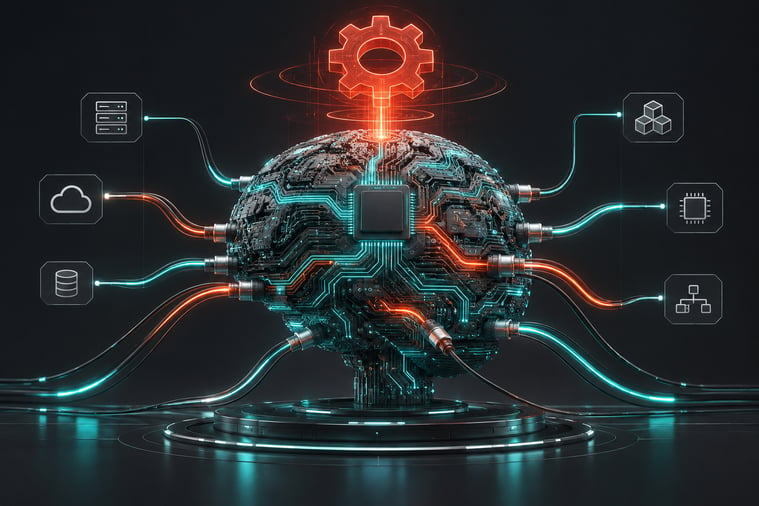
Each tool does its own job well. Most teams have also automated simple tasks inside a single tool, like opening a ticket for a password reset. But here's the problem. Each tool holds only part of the picture. UEM knows the device. ITAM knows the lease. The directory knows the user. The CMDB should know which applications run where. They rarely agree on every record, and none of them can run a program that spans the others.
So the cross-tool work falls to people. Someone exports from four systems, reconciles the differences in a spreadsheet, emails employees to book a time, and updates tickets by hand. That holds up for a pilot of 50 devices. It breaks at 5,000.
The practical answer is to automate in two layers. First, automate the tasks where human input adds the least value: ticket updates, reminders, scheduling, status reports, and data reconciliation. Then connect those tasks into workflows that run across tools, so a change in one system triggers the right step in the next.
What is digital workplace operations automation (DWOA)?
Digital workplace operations automation is the category Gartner uses for platforms that connect the separate tools running the digital workplace and automate work across them. In its April 2026 Innovation Insight for Digital Workplace Operations Automation Platforms, Gartner describes these platforms as a way for infrastructure and operations leaders to automate, reduce repetitive labor, and improve the digital employee experience.
The idea has history. In 2021, Gartner introduced the term digital platform conductor (DPC) for tools that give I&O leaders one view across their hybrid infrastructure and coordinate the tools that manage it. ReadyWorks started in that category and has since grown into Agentic ITOps. ReadyWorks was also named one of ten representative providers in Gartner's 2026 DWOA report, and you can see the full record on our Gartner recognitions page. For a closer look at the category and where AI takes it next, read our DWOA explainer.
Here's what changes when the tools are connected and automation runs across them.
|
Tool |
What it does on its own |
What cross-tool automation adds |
|
UEM |
Deploys software, settings, and policies to devices |
Uses owner, application, and schedule data from other tools to decide which devices go in which wave, and when |
|
ITAM |
Tracks what you own, what it costs, and where it is in its lifecycle |
Feeds hardware age and lease dates into refresh planning and updates records as devices change hands |
|
ITSM |
Manages tickets, requests, and change records |
Opens, updates, and closes tickets as workflow steps finish, with no manual entry |
|
DEX |
Measures device and app performance from the employee's side |
Adds user, location, and device context so an issue goes to the right fix or the right wave |
|
VDI or DaaS |
Delivers virtual desktops |
Puts virtual desktop users in the same readiness, scheduling, and communication flow as physical devices |
|
CSAM |
Shows every asset and its security posture |
Gives remediation work the owner and application context it needs before anything changes |
|
GRC |
Holds legal and regulatory constraints |
Removes a laptop on legal hold, or a workload that must stay on premises, from scope before a wave is scheduled |
A note on DEX, since it comes up often: DEX tools measure the experience. A DWOA platform acts on what they find, using data from the other tools to route the fix. Most organizations need both.
What does cross-tool automation look like on a real program?
A Windows hardware refresh is a good test, because it touches every tool on that list. Here's how one runs from start to finish when the tools are connected.
Before the first wave, the platform connects to UEM, ITAM, the directory, and the CMDB and ITSM, then reconciles them into one clean record per device and per user. Duplicate and orphaned records show up early, while they are cheap to fix. Application readiness checks show which apps will run on the new build and which need work. Devices on legal hold, or owned by a team in a change freeze, drop out of scope before anyone books them.
Next come the waves. Devices group by location, department, application readiness, and hardware age. Employees confirm the apps they use through a short survey, then pick their own time slot. Reminders go out on a timed schedule, so the service desk isn't chasing people by email.
During each wave, every finished step updates the next system. A device finishes imaging, UEM reports it, the ticket closes, and the asset record updates. When a step fails, the exception goes to the right person with the device, user, and app details already attached.
After the last wave, leaders see one report built from the same data the engineers worked from. The records stay clean, so the next program starts from a known state.
This is the work EndpointReady was built for. It covers endpoint refresh, Windows migration waves, and application readiness. It's also the ReadyWorks solution with automated rollback, so a change that fails on an endpoint can be reversed without a manual rebuild. Refreshes finish sooner, with less disruption for employees and less work for IT. The same platform also runs server, storage, and virtualization programs, so your team works one way across day-to-day operations and transformation programs.
How is AI changing digital workplace operations?
Gartner expects the job itself to change. In Digital Workplace in 2030: 4 Actions to Take Now, it says the business value of digital workplace teams will shift from tool administration to AI orchestration and management by 2030. And in Predicts 2026, Gartner predicts that by 2029, 70% of enterprises will deploy agentic AI to operate their IT infrastructure, up from less than 5% in 2025.
Here's the thing. AI is only as good as the data under it. An assistant that reads three tools that disagree will give three different answers. That's why the order matters: connect the tools, clean the data, add application context, set guardrails, and then hand work to AI.
ReadyAI, the AI control plane in ReadyWorks, works in that order today. It analyzes, makes recommendations, and carries out governed platform actions after a person approves. It runs within the guardrails your organization sets, with role-based access on every call and human approval before every write. Every action is logged, explainable, and covered by a tamper-evident audit trail. You set the pace and hand more work to ReadyAI as your confidence grows. To see where your team stands today, map your Agentic ITOps path.
Ready to run your digital workplace from one connected view?
The tools your team runs today are rarely the problem. The gaps between them are. Connect them, clean the data they share, and automate the work that moves across them. Start with the repetitive tasks. Then take on the next refresh or Windows migration on the same foundation.
For infrastructure leaders, that means fewer manual handoffs and clearer status. For solutions architects, it means one source of truth to design against. For CIOs, it means AI adoption with guardrails and a record of what changed, who approved it, and the outcome.
Talk to someone who has done this. A first conversation usually takes 15 to 30 minutes, and we'll look at where cross-tool automation fits in the tools you already run.
Frequently asked questions
How do you automate digital workplace operations across multiple IT tools?
Connect your UEM, ITAM, ITSM, DEX, directory, and CMDB to one platform, reconcile the data they share, and build workflows that move across them. Automate simple, repetitive tasks first, then link them into end-to-end programs where a change in one tool triggers the next step in another.
What is digital workplace operations automation (DWOA)?
DWOA is the Gartner category for platforms that connect the tools running the digital workplace and automate work across them. Gartner covered it in its April 2026 Innovation Insight for Digital Workplace Operations Automation Platforms.
What digital workplace tasks should IT automate first?
Start where people add the least value: ticket creation and updates, data reconciliation between tools, employee reminders and scheduling, and status reporting. New-hire device setup and recovering devices from leavers are good next steps, because they cross HR, ITAM, UEM, and ITSM.
What is the difference between DEX tools and DWOA platforms?
DEX tools measure device and application performance from the employee's point of view. DWOA platforms act across tools, using data from UEM, ITAM, ITSM, and others to route and complete the work that fixes what DEX finds.
Is a digital platform conductor the same as DWOA?
They are related. Gartner introduced digital platform conductor in 2021 for tools that coordinate hybrid infrastructure management. DWOA focuses on digital workplace operations. ReadyWorks has been recognized in both categories and today describes its platform as Agentic ITOps.
Does a DWOA platform replace UEM, ITSM, or ITAM?
A DWOA platform connects to the tools you already run and works through them. Your UEM, ITSM, ITAM, and CMDB stay as systems of record. The tools that usually retire are single-purpose ones, like readiness spreadsheets, survey tools, scheduling tools, and custom reporting scripts.