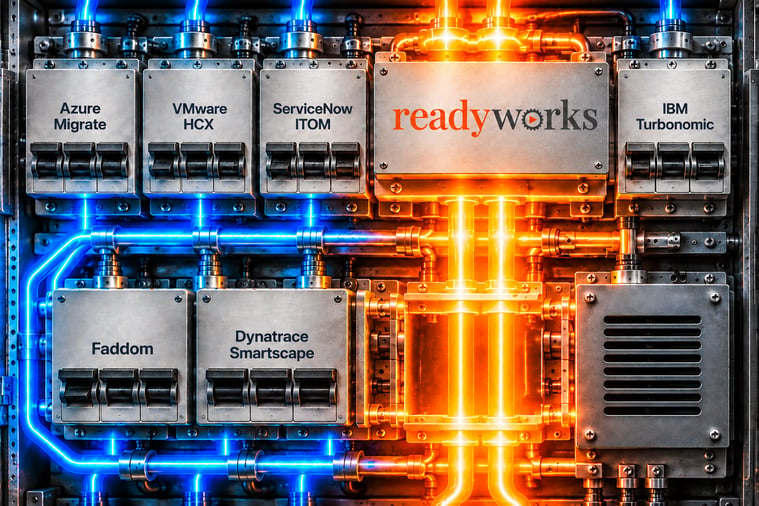


The fastest way to improve VMware estate visibility in 2026 is to build one clean, connected view of the estate before you plan another move. Connect vCenter, Nutanix, your CMDB, and other systems of record. Keep that data continuously cleansed, and add application context so every virtual machine shows what else a change will touch. Then put AI to work on that foundation. ReadyAI analyzes the estate, recommends the next step, and plans the work. A person approves, and your delivery team executes. Visibility stops being a report you refresh and becomes the plan your team runs from.
What should VMware estate visibility show you?
Most teams already have screens full of VMware data. The question is whether that data can support a decision. Visibility you can act on answers five questions about every workload:
- What is running, and on which hosts and clusters
- Who owns it, and who needs to hear about a change
- What it depends on, from databases to shared services
- What else a change will touch, so the next move does not break an application two teams away
- Where it stands in the plan: ready to move, held back, or staying put
Each role reads those answers differently. An infrastructure leader needs them to defend a budget and a timeline. A solutions architect needs them to sequence waves without surprises. A CIO needs them to decide which workloads move, which stay, and when. Some workloads will stay on VMware for a while, and that can be a sound strategic choice when it is backed by data. The same view has to serve all three.
Why do VMware tools disagree about the same estate?
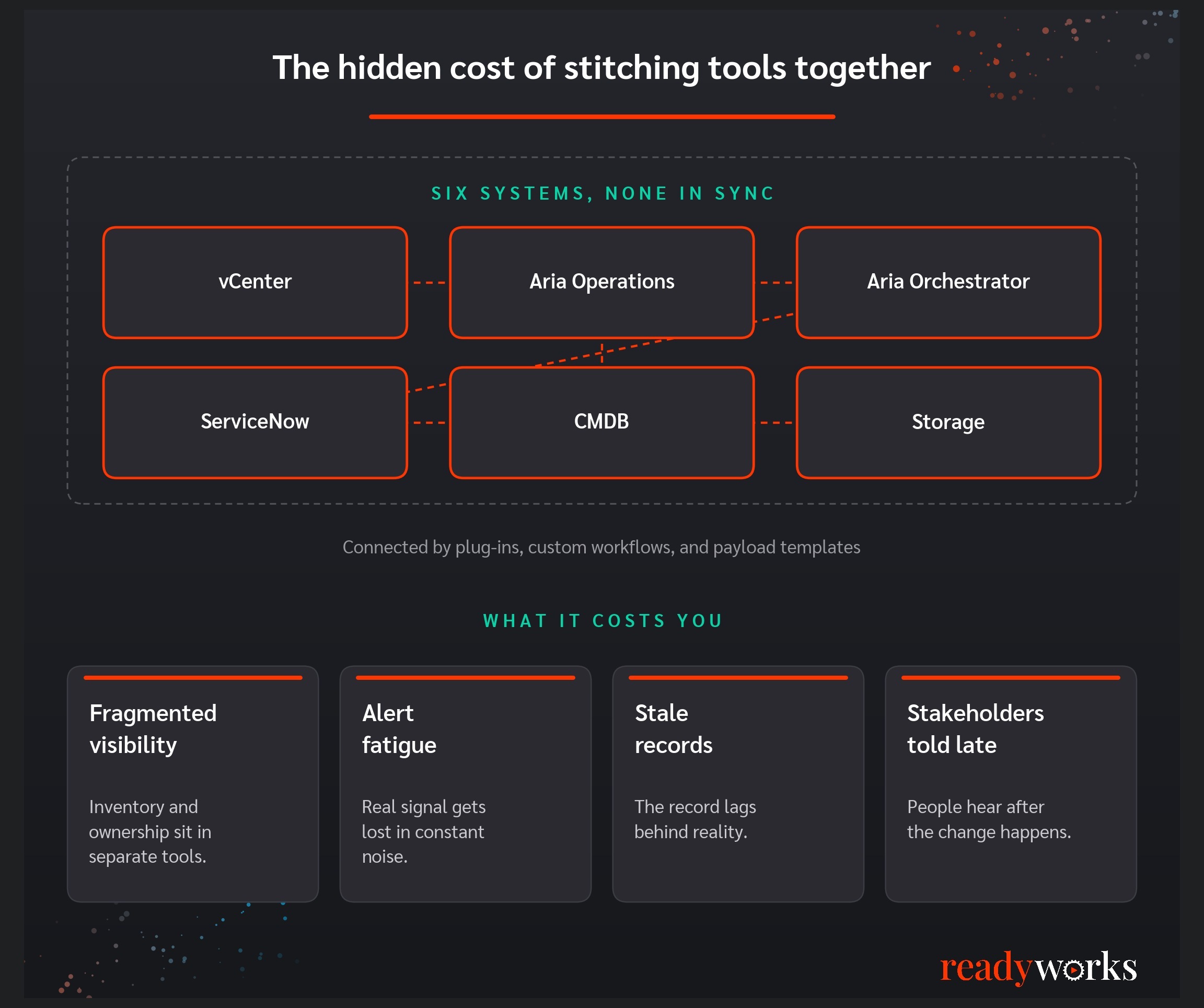
The tools are rarely the problem. VMware Aria Operations watches health and performance and raises events. Aria Automation Orchestrator runs the workflows those events trigger. ServiceNow or another ITSM platform holds the change records and sends the notifications. A discovery scan and a migration tracker usually sit on the side. Each one keeps its own copy of the estate, on its own update cycle.
So the monitoring tool counts the VMs that report in. The discovery scan counts what it found last week. The migration tracker counts what made it into a wave, and the CMDB counts what is on record. The counts rarely match, and every integration built to reconcile them is a small project that drifts the next time a schedule moves or a system updates. Teams end up planning on assumptions, and stakeholders hear about a change after it happens.
Pressure from Broadcom makes the gap more expensive. Changes like the withdrawal of public VDDK downloads can stall a migration tool overnight, and the teams that recover fastest are the ones who already know exactly what is in their estate. When we compared the main categories of VMware operations tools, native VMware management saw deep inside VMware and little beyond it. That matters now that most estates also include Nutanix, cloud, and physical infrastructure.
In short, Aria Automation Orchestrator is the VMware component that automates operational workflows, and Aria Operations supplies the monitoring and event triggers. Stakeholder communications and scheduling are generally handled by integrated ITSM platforms like ServiceNow, not by VMware tools alone.
How do you build VMware estate visibility you can act on?
The order matters. Clean data comes first, and AI comes last. Gartner projects that by 2028, 99% of I&O-led investment in agentic AI made without system data and operating model improvements will fail to achieve sustainable ROI, as Oomnitza reports. Here is how the foundation comes together, step by step:
- Identify every system that holds a piece of the estate: vCenter, Nutanix, your CMDB, and the other systems of record your teams rely on.
- Connect them. ReadyWorks accesses data on demand, in place, so your systems of record stay where they are, with no full re-copy of source systems.
- Clean the data. Records are normalized, conflicts between sources are reconciled, quality is scored, and the data stays continuously cleansed so it does not go stale between exports.
- Add application context: dependencies, usage, compatibility, and lifecycle stage on every asset. This is what shows you what else a change would affect.
- Set the guardrails: role-based access on every call, a tiered write policy the organization sets, and human approval before every write.
Those are the first five steps on the journey to autonomous IT operations, and together they form the Foundation stage. The platform delivers full value at this stage with AI switched off. Your team gets one reconciled view, ready-made reports, wave planning, and stakeholder engagement from the same data. Surveys, attestations, self-service scheduling, and timed communications keep stakeholders informed and involved.
Where does ReadyAI fit in VMware estate visibility?
With the foundation in place, ReadyAI works on top of it. Today ReadyAI operates at the Assisted stage: it recommends, a person approves, and it executes governed platform actions. For a VMware exit, ReadyAI analyzes the estate, recommends which workloads are ready for the next wave and which to hold back because of a shared dependency, and plans the wave. Your delivery team executes the migration with your sign-off at every phase. That team can be a services partner, ReadyWorks when engaged to deliver, or your own engineers.
That is the model behind VirtualReady: AI-planned, expert-delivered. VirtualReady covers assessment, planning, wave orchestration, and migration status across migration tools, with Nutanix Move today. Every action is logged, explainable, and covered by a tamper-evident audit trail, with what changed, who approved it, what it touched, and the outcome on record.
Here is how the work divides once everything runs from one plan:
|
Operational job |
Where it usually lives today |
How ReadyWorks unifies it |
|
Monitoring and event detection |
VMware Aria Operations |
Real-time monitoring and predictive alerting in one view |
|
Workflow automation |
VMware Aria Automation Orchestrator |
Orchestration triggered from live, connected data |
|
Change and incident records |
ServiceNow ITSM |
Tickets and change records automated from the same plan |
|
Stakeholder communications |
ServiceNow or other ITSM |
Notices generated from the schedule, with a full audit trail |
|
Scheduling and notifications |
ServiceNow or other ITSM |
Schedule changes update communications automatically |
|
Estate visibility across systems |
Scattered across tools and spreadsheets |
One enriched, current view of the whole estate |
Is your VMware estate ready before your next renewal?
Your next renewal is closer than your migration plan. Teams that treat the renewal as a runway start with the estate view, because every later decision depends on it. The sooner the foundation is in place, the more of the current contract term you can use to move, hold, or keep workloads on purpose.
Talk to someone who has done this. Intro calls usually run 15 to 30 minutes. Or map your journey to see where your estate stands today.
FAQ
How do you improve VMware estate visibility in 2026?
Build one clean, connected view of the estate first. Connect vCenter, Nutanix, your CMDB, and other systems of record, keep the data continuously cleansed, and add application context. Then use ReadyAI to analyze the estate, recommend next steps, and plan the work, with a person approving and your delivery team executing.
What is VMware estate visibility?
It is one current, reconciled picture of every virtual machine: what is running, who owns it, what it depends on, what else a change will touch, and where it stands in the plan. It is built from vCenter and your systems of record, and it stays current as they change.
Which VMware tool handles monitoring, automation, and stakeholder communications?
No single VMware tool handles all three. VMware Aria Operations provides monitoring and event triggers, and Aria Automation Orchestrator automates workflows. Stakeholder communications and scheduling are generally handled by an ITSM platform such as ServiceNow. ReadyWorks connects them so all three run from the same data.
Does ReadyWorks replace vCenter, ServiceNow, or my CMDB?
No. Your systems of record stay in place. ReadyWorks accesses their data on demand, in place, and write-back is always optional, per system, opt-in, and fully audited.
Does ReadyAI run the migration?
No. ReadyAI analyzes, recommends, and plans. A named delivery team executes the migration with your sign-off at every phase.
What does application context add to VMware estate visibility?
Application context adds dependencies, usage, compatibility, and lifecycle stage to every asset. It shows what else a change will touch before anyone makes it, which is what turns a list of VMs into a plan you can defend.